Article
Using Azure for Students as a VPS
On this page 4
Using Azure for Students as a VPS
I previously registered for an Azure student account with $100 of credit—here called az100—and created a virtual machine to use as a server.
After realizing that I did not need it to host a website, I decided to use the remaining credit for a VPN.
Key technologies:
- Xray-core
- Reality
(I am still learning the technical details.)
Xray
Follow the tutorial’s Quick Reality Setup—Xray procedure.
During configuration, a random port is generated. Write it down; we will call it portA. This is the VLESS listening port responsible for handling encrypted traffic.
Clash-verge
Follow the tutorial to add the subscription.
The tutorial still shows the clash-meta core; it should now be mihomo, but that difference can be ignored.
At the subscription-download step, find and copy the URL corresponding to clash-meta. It should begin with an ip:port pair, such as 12.123.123:66666. Record this second port as portB.
Creating the subscription exactly as shown will not yet work because portB, used by the subscription URL, is not open on the Azure server. The URL points to a configuration file hosted on your server. After clash-verge reads that file, it sends your traffic through portA.
We therefore need to open both ports. 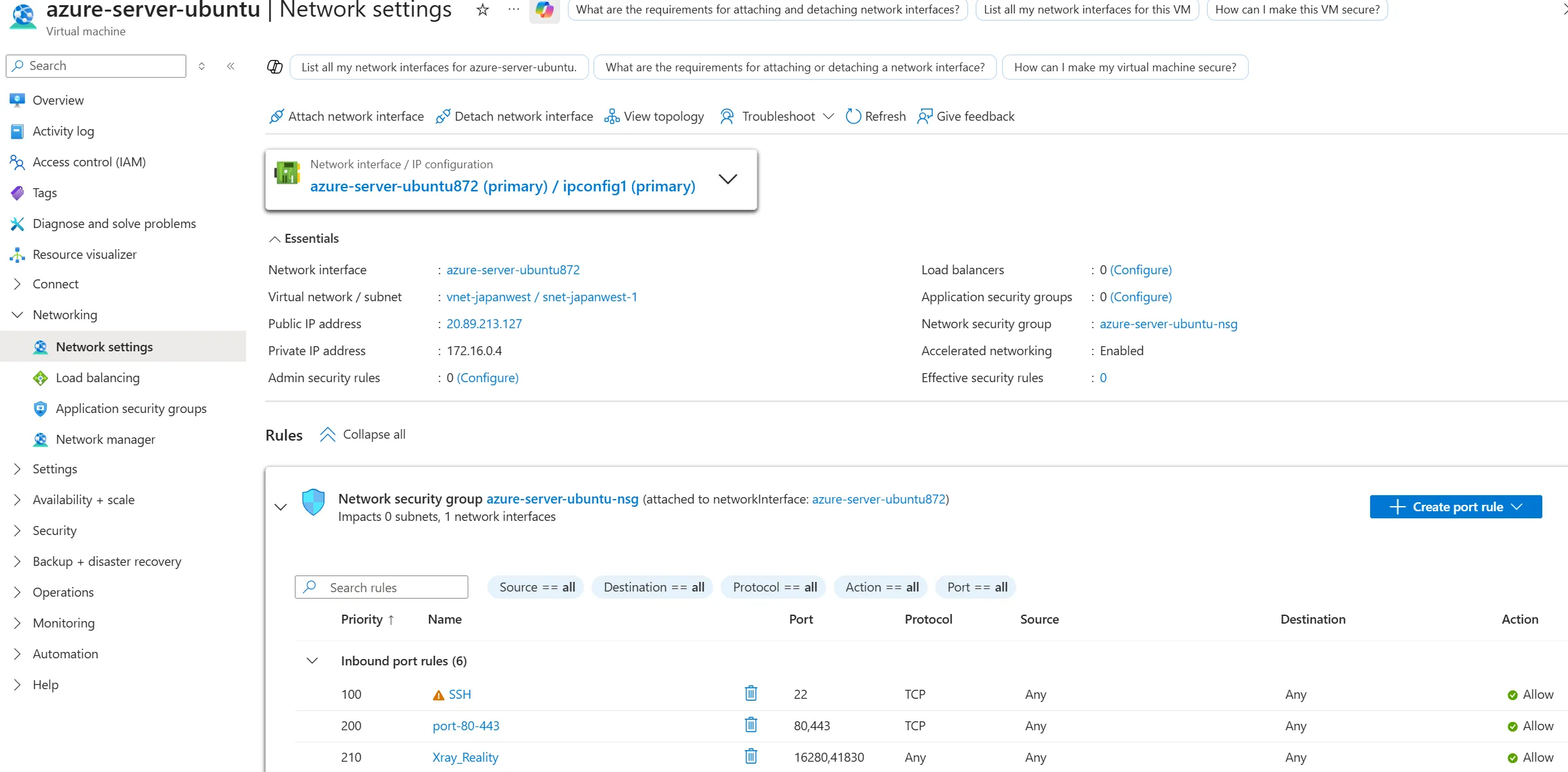
In Virtual Machine → Networking → Network Settings, create new inbound port rules for portA and portB, then save them.
Summary
Now, when clash-verge is enabled, traffic passes through our server with low latency and high throughput.
Azure currently provides at least 15 GB of monthly transfer. If the account was successfully registered in an overseas region and Subscription shows MCA rather than MOSP, an additional 100 GB of free transfer may also be included. I will have to use it for a while to confirm.
Even if extra charges consume the credit, I may as well use whatever is available. My monthly usage should be modest, it costs me nothing directly, and I am the only person using the node.
Update: My account appears to have been verified as an overseas account and received additional free transfer.
The resulting IP is still identified as a data-center address and is not as “clean” as a residential connection, but it is entirely adequate aside from a few particularly strict services.